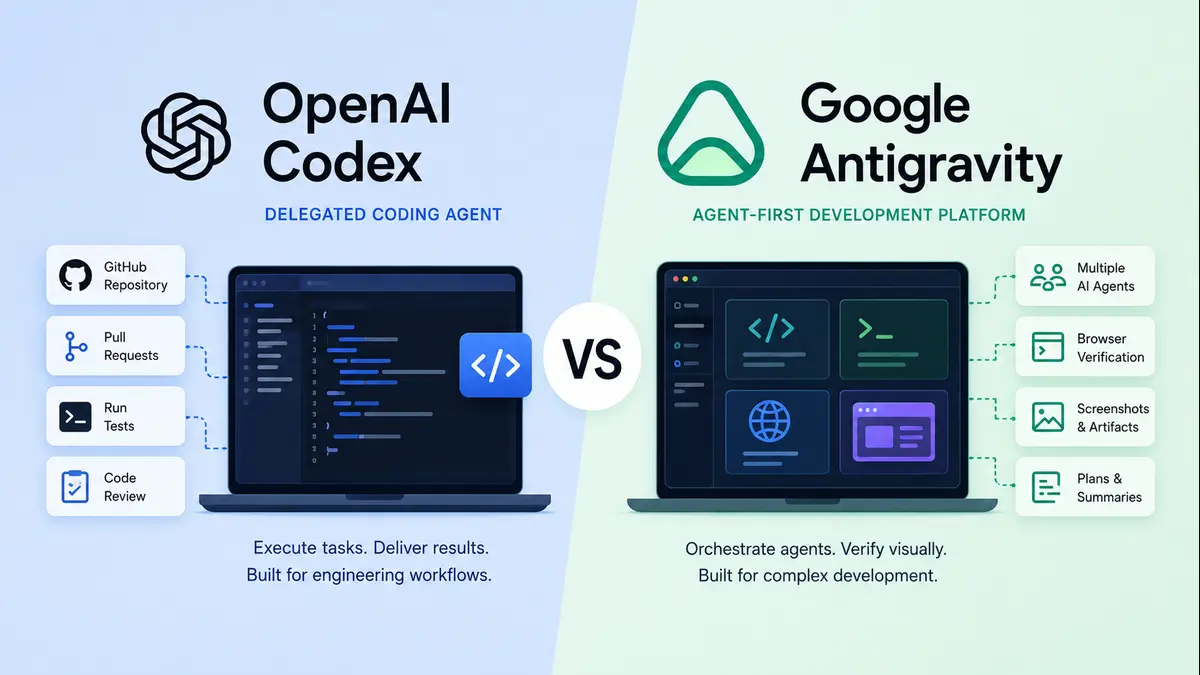
OpenAI Codex and Google Antigravity are often compared as AI coding tools. But architecturally, they are not the same. Codex is built around delegated software engineering tasks. Antigravity is built around agent orchestration inside a development environment. This article explains the difference in simple terms for developers, founders, and beginners who want to understand these tools before using them.
AI-assisted software development is no longer only about autocomplete.
For many years, AI coding tools helped developers write faster. They suggested functions, completed lines, explained errors, and generated boilerplate code. These tools were useful, but the developer still had to drive most of the workflow manually.
That phase is changing.
The new generation of coding tools is agentic. These systems do not only suggest code. They can inspect repositories, understand tasks, edit files, run commands, test changes, review outputs, and return work for human approval.
Two products represent this shift clearly: OpenAI Codex and Google Antigravity.
At first glance, both appear to belong to the same category. Both help developers build software with AI. Both can reduce manual coding effort. Both are part of the broader movement toward AI-native development.
But architecturally, they represent two different philosophies.
OpenAI Codex is best understood as a delegated software engineering agent. It is designed to receive a scoped engineering task, work through the codebase, make changes, run checks where possible, and return a reviewable result. OpenAI’s Codex documentation describes Codex as a coding agent that can read, edit, and run code in cloud environments, while also supporting workflows connected to GitHub, CLI, IDE, and app-based usage.
Google Antigravity is better understood as an agent-first development environment. Google describes Antigravity as a platform that combines an AI-powered Editor View with a Manager Surface, allowing agents to plan, execute, and verify tasks across editor, terminal, and browser surfaces.
That distinction matters.
Codex asks: what engineering task should I complete?
Antigravity asks: how can agents work with you inside the development environment?
This is not just a product difference. It is an architectural difference.
From Coding Assistant to Coding Agent
To understand Codex and Antigravity, it is useful to first understand the difference between a coding assistant and a coding agent.
A coding assistant helps the developer while the developer remains fully in control. It can autocomplete a function, explain an error, or generate a small piece of code. The human still performs most of the workflow manually.
A coding agent has more autonomy. It can understand a task, inspect files, make changes, run commands, verify results, and summarize what it did.
This changes the role of the developer.
The developer is no longer only a person typing code. The developer becomes a task designer, reviewer, architect, and supervisor. The quality of the output depends not only on the model, but also on the clarity of the instruction and the discipline of the review process.
This is where Codex and Antigravity begin to diverge.
Codex behaves more like an AI engineer that receives work.
Antigravity behaves more like an AI-native workspace where agents can be managed.
One extends the traditional software delivery lifecycle. The other tries to redesign the development environment around agents.
What Is OpenAI Codex?
OpenAI Codex is a coding agent designed for delegated engineering work.
A developer can give Codex a task such as fixing a bug, reviewing a pull request, writing tests, refactoring a module, or implementing a defined feature. Codex can then read the codebase, understand the task, make changes, run commands where the environment allows it, and return a result for review.
This makes Codex useful in workflows that already have structure.
Most professional software teams use repositories, branches, pull requests, test suites, code reviews, and CI/CD pipelines. Codex does not try to remove this workflow. It works inside it.
A simple Codex workflow looks like this:
Developer task → repository context → planning → code edit → command/test execution → reviewable output
The output may be a code diff, pull request, review comment, patch, or task summary depending on how Codex is being used. OpenAI also documents GitHub pull request review workflows where Codex reviews PR diffs and posts review comments focused on serious issues.
This makes Codex strong when the work is clear and bounded.
Examples include:
- Fix this failing test.
- Review this pull request for regressions.
- Add validation to this API endpoint.
- Refactor this module without changing behavior.
- Write unit tests for this service.
- Improve documentation for this function.
- Investigate why this build is failing.
These are task-based engineering problems. Codex is designed to help with this kind of work.
The important point is that Codex is not merely a chatbot that gives code snippets. Its value comes from its ability to enter an engineering context, perform a bounded loop, and return a result that fits into familiar developer workflows.
What Is Google Antigravity?
Google Antigravity takes a different approach.
It is not only a coding agent. It is an agent-first development platform.
Antigravity gives developers an editor-like experience, but adds a dedicated agent control layer. Agents can plan, execute, and verify work across the editor, terminal, and browser. They can also produce artifacts such as plans, screenshots, recordings, and summaries. Google describes these artifacts as a way for agents to communicate progress and make verification easier.
This makes Antigravity more environment-centric than task-centric.
A developer using Antigravity may not only ask for a function to be fixed. The developer may ask for a feature to be built, tested visually, verified in the browser, and explained through artifacts.
A simple Antigravity workflow looks like this:
Developer goal → agent manager → workspace context → code and command execution → browser verification → artifacts → human review
This is especially useful for product-heavy and UI-heavy development.
A frontend change may compile successfully but still look broken. A dashboard may pass basic checks but still feel confusing. A login flow may work technically but fail in the browser. Antigravity tries to bring those review surfaces into the agent loop.
Its strength is not only code generation.
Its strength is workflow orchestration.
That is why Antigravity feels closer to a mission-control surface for agents, while Codex feels closer to a delegated engineering agent.
Google’s 2026 I/O update also positions Antigravity 2.0 as a standalone desktop application for orchestrating multiple agents, with dynamic subagents, scheduled background tasks, and integrations across Google AI Studio, Android, and Firebase.
The Core Architectural Difference
The clearest way to compare Codex and Antigravity is this:
Codex follows a delegated task-execution architecture.
Antigravity follows an agent-orchestration architecture.
Codex begins with a defined engineering task. It gathers context, works on the code, runs checks where possible, and returns a result for review.
Antigravity begins with the development environment. It allows agents to operate across code, terminal, browser, and artifacts while the developer supervises their work.
This creates two different control models.
Codex is more sequential.
A developer gives a task. The agent works. The output is reviewed.
Antigravity is more supervisory.
A developer defines a goal. One or more agents operate across the environment. The human reviews progress, evidence, and output.
In simple words, Codex is built like an AI engineer attached to your existing software workflow. Antigravity is built like an AI-native development room where agents can be coordinated.
Codex Architecture: Delegated Engineering Agent

Codex can be understood through six architectural layers.
1. Interface Layer
This is where the developer interacts with Codex.
The interface may be web, CLI, IDE, app, GitHub, or cloud-based workflow. The key point is that Codex is not only a chat interface. It is an engineering interface that can connect to real code and real development workflows.
For a beginner, this means Codex is useful when you already have a codebase and a specific problem to solve.
You do not need to ask it only abstract coding questions. You can ask it to work on your project.
2. Context Layer
Before Codex can make useful changes, it needs context.
This may include repository files, project instructions, pull request diffs, logs, test output, and the developer’s prompt.
This layer is critical.
If the context is weak, the output will be weak. If the task is vague, the agent may produce a shallow fix. If the repository instructions are missing, the agent may ignore project conventions.
This is why good engineering prompts matter.
A weak prompt says:
“Fix the bug.”
A better prompt says:
“The login page fails when the email field is empty. Please inspect the validation flow, add proper error handling, update tests if needed, and avoid changing the authentication API contract.”
The second prompt gives Codex a stronger frame.
3. Planning Layer
Codex then reasons about the task.
It may identify which files matter, what changes are needed, what tests should be run, and what risks exist. This is where Codex moves from simple code generation to agentic engineering.
It is not merely predicting the next line of code. It is performing a small engineering loop.
That loop is:
understand → plan → edit → execute → summarize
This is why Codex works best when the task has boundaries.
4. Editing Layer
This is where Codex modifies files.
It may change code, add tests, update documentation, modify configuration, or prepare a patch.
This is the implementation layer.
For developers, this reduces mechanical effort. The agent can make repetitive changes across files, update test cases, or refactor patterns that would otherwise take time.
But this layer must be reviewed carefully.
AI-generated code can be useful. It can also be subtly wrong. A change may compile but break a business rule. A test may pass but miss the real edge case. A refactor may look clean but change behavior unintentionally.
So the editing layer should never be treated as final truth.
It is an acceleration layer, not a replacement for engineering judgment.
5. Execution Layer
After editing, Codex can run commands or checks where the environment allows it.
This may include unit tests, build commands, lint checks, type checks, or project-specific scripts.
This matters because code that has been executed is more trustworthy than code that has only been generated.
A generated patch is a suggestion.
A generated patch with passing tests is closer to an engineering output.
OpenAI’s Codex materials also describe safety and operational controls such as sandboxing, approvals, and network access management. These controls matter because agents that can run commands need boundaries.
6. Review Layer
Finally, Codex returns a result.
The result may be a diff, pull request, review comment, patch, or summary. The human developer then reviews the work and decides what to accept.
This architecture respects traditional software engineering discipline.
It does not say, “Forget pull requests.”
It says, “Let an AI agent help inside the pull request workflow.”
That is why Codex is a natural fit for teams that already value GitHub, tests, code review, and controlled execution.
Antigravity Architecture: Agent-Orchestration Environment

Antigravity also has several architectural layers, but the emphasis is different.
1. Control Surface
Antigravity gives developers surfaces to interact with agents.
The editor remains important, but the manager-style control surface becomes equally important. This is where developers can supervise agent activity.
This changes the developer’s role.
The developer is not only typing code. The developer is managing work.
That is a big shift. In a normal IDE, the human is the primary actor. In an agent-first environment, the human becomes the supervisor of intelligent workflows.
2. Agent Orchestration Layer
This is the heart of Antigravity.
Instead of assuming one agent works on one narrow task, Antigravity is designed around agent workflows. Agents may plan, execute, verify, and communicate progress through artifacts.
This makes the system feel closer to a small engineering team than a single code assistant.
One agent may work on frontend implementation. Another may inspect browser behavior. Another may produce a summary. Another may verify whether the expected flow works.
This pattern is important because real development work is rarely one-dimensional.
A feature may touch UI, API, database, tests, and deployment configuration. A single prompt may not be enough. A workflow may need decomposition.
Antigravity’s architectural bet is that the development environment should support that decomposition natively.
3. Workspace Context Layer
Antigravity agents operate across the development workspace.
That workspace includes code, terminal, browser, project state, and execution outputs. This is broader than a simple repository-only workflow.
The agent is not limited to writing code. It can observe how the application behaves.
This is a major difference.
Many bugs are not visible from the code alone. A frontend component may be technically correct but visually broken. A user journey may work in individual functions but fail as a complete flow. A browser interaction may expose timing issues that static code review misses.
By bringing browser context into the workflow, Antigravity tries to close the gap between code generation and product behavior.
4. Execution Layer
This is where agents perform work.
They can edit code, run commands, start applications, and interact with development tools.
This makes Antigravity useful for multi-step product development.
For example, a developer may ask:
“Build a settings page with account information, notification preferences, and save-state feedback. Run the app and show me whether the page works.”
This is not just a coding task. It is a product workflow.
The agent must understand the structure, edit files, run the app, inspect the browser, and return evidence.
That is where Antigravity’s design becomes valuable.
5. Verification Layer
Verification is central to Antigravity’s value.
The agent can help check whether the change works in the browser or application flow. This is useful because many software problems are not visible from code alone.
A button may exist in code but appear broken on screen.
A form may submit correctly but feel confusing.
A layout may pass build checks but fail on mobile.
A dashboard may render data but present it in a way that users cannot understand.
Browser-based verification helps close this gap.
This is why Antigravity is especially relevant for frontend, full-stack, prototype, and product-led development.
6. Artifact Layer
Artifacts are review objects.
They may include screenshots, recordings, plans, implementation summaries, or evidence of completed work.
These artifacts help the human reviewer understand what the agent did and why.
This creates a different kind of trust.
The developer does not only review code.
The developer reviews evidence.
That is important because agentic development needs more than speed. It needs visibility.
Architecture Comparison Table
| Layer | OpenAI Codex | Google Antigravity |
|---|---|---|
| Core architecture | Delegated task execution | Agent workflow orchestration |
| Main interface | Web, CLI, IDE, app, GitHub, cloud workflows | Editor View, Manager Surface, terminal/browser-connected workspace |
| Primary input | Scoped task, issue, pull request, review request | Product goal, workflow, multi-step development objective |
| Context | Repository, diffs, instructions, logs, tests | Codebase, editor, terminal, browser, project state |
| Execution model | Agent works on defined engineering tasks | Agents operate across workspace surfaces |
| Verification | Tests, command outputs, diffs, PR review, summaries | Browser checks, screenshots, recordings, plans, artifacts |
| Human role | Task delegator and code reviewer | Agent supervisor and workflow reviewer |
| Best fit | Bug fixes, refactors, tests, code reviews | UI work, prototypes, full-stack features, visual verification |
| Main risk | Vague tasks may create shallow fixes | Too many agent workflows may create supervision overhead |
Verification Is the New Trust Layer
In traditional software development, trust comes from review.
Developers inspect code, run tests, check logs, and approve pull requests.
This remains important.
But in agentic development, trust becomes even more important because the AI may change many files quickly. It may make assumptions. It may produce code that looks correct but misses a hidden dependency.
So the question is not only: can the agent write code?
The real question is: how can the human trust the agent’s work?
Codex builds trust through bounded execution, sandboxing, approvals, test outputs, pull requests, diffs, and reviewable summaries.
Antigravity builds trust through visibility, browser verification, screenshots, recordings, plans, and artifacts.
This creates two different trust models.
Codex says: review my engineering output.
Antigravity says: review my workflow evidence.
Both models are useful.
A backend API change may be best reviewed through tests and diffs. A frontend feature may require browser verification and screenshots. A full-stack prototype may need both code review and visual artifacts.
The right tool depends on the type of work planned for execution.
Which One Should Beginners Use?
A beginner should not choose only by brand.
The better question is: what kind of work are you doing?
Use Codex if your task is specific and engineering-oriented.
For example:
- Fix a failing test.
- Write unit tests.
- Improve a backend function.
- Review a pull request.
- Refactor a file.
- Add validation to an API.
- Investigate a build failure.
Codex works well when the problem has a clear input and output. It rewards clear instructions.
A good Codex prompt should include:
- the task,
- expected behavior,
- relevant constraints,
- files if known,
- what should not be changed,
- and how the result should be verified.
Use Antigravity if your work is broader and workflow-oriented.
For example:
- Build a dashboard.
- Improve a user interface.
- Create a full-stack prototype.
- Run the app and inspect the browser.
- Check whether a feature actually works visually.
- Coordinate multiple changes across frontend and backend.
Antigravity works well when software development involves several moving parts. It rewards supervision.
A good Antigravity workflow should include:
- the goal,
- expected user experience,
- visual constraints,
- verification steps,
- and artifact expectations.
In simple terms:
Codex is better for task delegation.
Antigravity is better for workflow supervision.
Security and Control
AI coding agents are powerful because they can act. But the same capability creates risk.
A normal autocomplete tool only suggests code. The human decides whether to accept it.
An agent can edit files, run commands, interact with repositories, and sometimes operate across connected environments. That means permissioning matters.
For Codex, safety controls such as sandboxing, approvals, and network access are important because they define what the agent can and cannot do. OpenAI’s Codex safety documentation discusses these operational controls directly.
For Antigravity, visibility is equally important. If agents are operating across editor, terminal, and browser surfaces, the developer must be able to observe their work clearly. Artifacts, plans, recordings, and screenshots become part of the trust model.
For beginners, the lesson is simple.
Do not treat AI coding agents like magic.
Treat them like fast junior engineers.
They can help you move faster. They can also misunderstand requirements. They need clear instructions, boundaries, and review.
The Human Skill Still Matters
A dangerous myth is forming around AI coding agents. Some people believe these tools remove the need to understand software engineering.
They do not.
They reduce mechanical effort. They do not remove judgment. A developer still needs to understand architecture, data flow, security, testing, deployment, maintainability, and user experience. Without these skills, a developer may accept code that works once but damages the system later. Traditional engineering discipline matters even more now. Readable code matters. Small commits matter. Tests matter. Version control matters. Security reviews matter. Documentation matters.
AI does not remove these old rules. It makes them more important.
When an agent can generate code quickly, technical debt can also grow quickly. Speed without review is not productivity. It is risk with a polished interface.
The best developers will not be the ones who blindly accept every AI suggestion.
They will be the ones who define better tasks, review better evidence, and protect the architecture of the system.
The Bigger Shift
Codex and Antigravity show two possible futures for software development.
One future is delegated execution. Developers assign tasks to AI engineering agents that work inside existing software workflows. Repositories, pull requests, tests, and reviews remain central. Codex represents this direction.
The other future is agent orchestration. Developers supervise AI agents inside an environment designed for planning, execution, browser verification, and artifact-based review. Antigravity represents this direction.
These two futures may eventually merge.
Codex-like systems may become stronger at visual workflows. Antigravity-like systems may become more deeply integrated with GitHub, CI/CD, and enterprise review systems.
But today, the distinction is useful.
Codex extends the software delivery lifecycle.
Antigravity reimagines the development environment.
One helps you assign work.
The other helps you supervise work.
This is the architectural shift that matters.
The future of software development may not be a single developer typing every line. It may be a developer managing a set of intelligent workflows, each with its own task, context, evidence, and review path.
That is not the end of engineering.
It is a change in the operating model of engineering.
Conclusion
OpenAI Codex and Google Antigravity are not just two competing AI coding products. They represent two different architectures for agentic software development.
Codex is built around delegation. It works best when a developer can define a task, connect the right repository context, and review the output through familiar engineering workflows.
Antigravity is built around orchestration. It works best when development involves agents operating across code, terminal, browser, plans, screenshots, and artifacts.
For beginners, the choice should be simple.
If your work is task-based, repository-based, and review-driven, Codex may feel more natural.
If your work is product-based, visual, multi-step, and needs active supervision, Antigravity may feel more powerful.
The future developer will not only write code.
The future developer will define goals, supervise agents, review evidence, and maintain system discipline.
AI agents can accelerate development.
But human judgment still has to steer the system.
FAQ Section
What is the main difference between OpenAI Codex and Google Antigravity?
OpenAI Codex is mainly a delegated software engineering agent. It works well when a developer gives it a clear coding task. Google Antigravity is an agent-first development environment. It is designed to help developers supervise agents across editor, terminal, browser, and artifacts.
Is Codex better than Antigravity?
Not always. Codex is better for scoped engineering tasks such as bug fixes, tests, refactors, and pull request reviews. Antigravity is better for broader workflows such as UI development, full-stack prototypes, browser verification, and multi-step product work.
Is Google Antigravity an IDE?
Google Antigravity can be understood as an agent-first development platform with editor-like capabilities. Its key difference is that it gives agents a more central role in planning, execution, and verification.
Is OpenAI Codex only for GitHub?
No. Codex has strong GitHub workflows, especially pull request review workflows, but it also supports other surfaces such as CLI, IDE, app, and cloud-based usage.
Which tool is better for beginners?
Beginners should choose based on workflow. If they want help with clear coding tasks, Codex may be easier to start with. If they want to build broader product flows and visually verify results, Antigravity may be more useful.
Will AI coding agents replace developers?
AI coding agents can reduce manual coding work, but they do not remove the need for engineering judgment. Developers still need to understand architecture, testing, security, maintainability, and product behavior.
Discover more from Poniak Times
Subscribe to get the latest posts sent to your email.